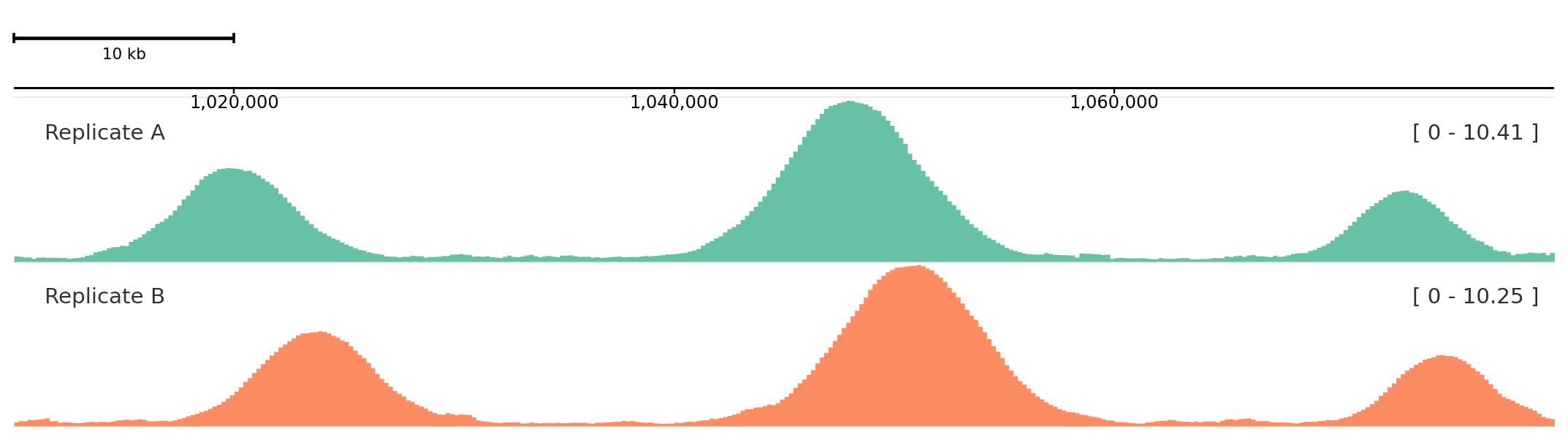
GenomicFigure.add_track() accepts a concrete track object or a string alias. Aliases are the bridge between Python, YAML templates, and generated config.
Alias usage
from plotnado import GenomicFigurefrom plotnado.examples import REGION, signal# signal() → DataFrame(chrom, start, end, value) — replace with a BigWig path/URL or DataFramefig = GenomicFigure().autocolor("Set2")fig.add_track("scalebar")fig.add_track("axis")fig.add_track("bigwig", data=signal(phase=0.0), title="Replicate A", style="fill")fig.add_track("bigwig", data=signal(phase=0.9), title="Replicate B", style="fill")fig.plot(REGION)
Alias-added tracks render the same way as helper-method tracks.
Track constructor fields are passed directly.
Aesthetics fields such as color, alpha, and style are routed to aesthetics.
Label fields such as title, title_color, and title_location are routed to label.
If shorthand and nested objects are both supplied, shorthand values win for overlapping keys.