Extend around a region

Figure Workflows

Single region

from plotnado import GenomicFigure
from plotnado.examples import REGION, signal, intervals
# signal() → DataFrame(chrom, start, end, value) — replace with a BigWig path/URL or DataFrame
# intervals() → DataFrame(chrom, start, end, name) — replace with a BED/BigBed path, URL, or DataFrame

fig = GenomicFigure(width=11, track_height=1.25)
fig.scalebar()
fig.bigwig(signal(scale=1.15), title="Synthetic signal", style="fill", color="#1f77b4")
fig.bed(intervals(), title="Intervals", display="expanded", show_labels=True)
fig.axis()
fig.plot(REGION)
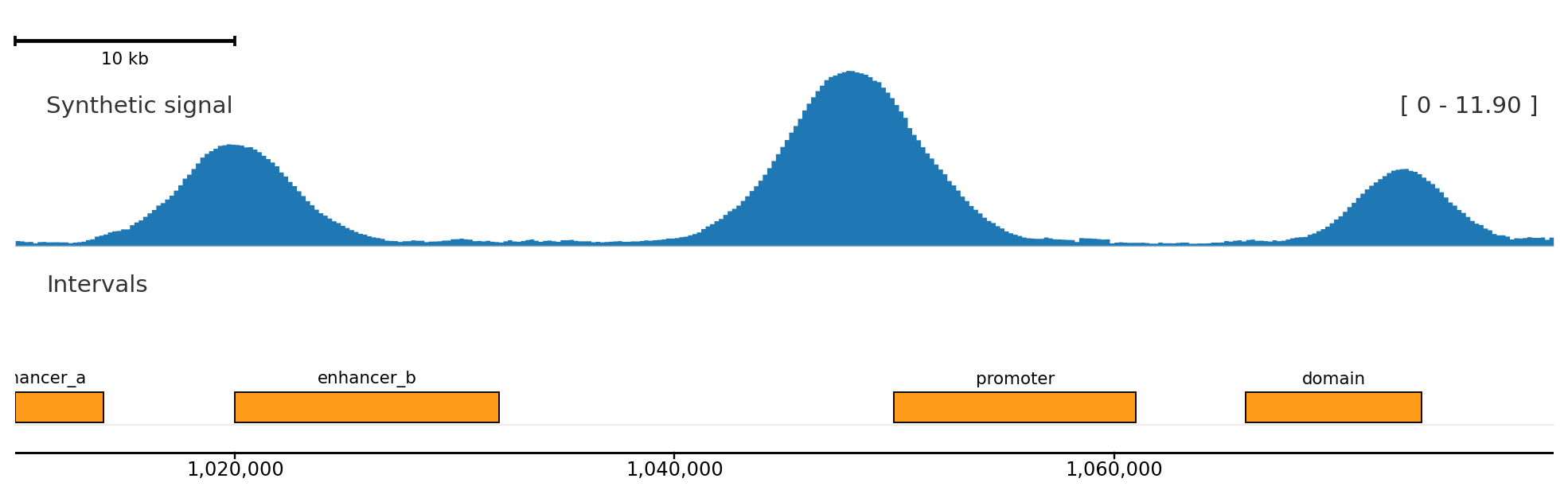
fig.plot("chr1:1,000,000-1,050,000", extend=0.25)

extend=0.25 adds 25% of the requested span on both sides before rendering.

Plot many regions

fig.plot_regions(
    ["chr1:1,000,000-1,050,000", "chr1:1,060,000-1,110,000"],
    ncols=2,
)

plot_regions() also accepts a BED path.

Plot by gene symbol

fig.genes("hg38")
fig.plot_gene("GNAQ", extend=0.5)

Gene-name resolution needs a genome-aware genes track.

Load from an IGV session

from plotnado import GenomicFigure

fig, locus = GenomicFigure.from_igv_session("session.xml")
fig.plot(locus)

Track colors, fixed scales, autoscale groups, and gene annotations are preserved where the IGV session provides them.

For lower-level access:

from plotnado import GenomicFigure, parse_igv_session

session = parse_igv_session("session.xml")
fig = GenomicFigure.from_template(session.template)
fig.plot(session.locus)

Edit tracks after building

fig["Synthetic signal"].color = "steelblue"
fig[0].height = 2.0
fig.update_track("Synthetic signal", color="purple", max_value=500)
fig.update_track(track_type="bigwig", height=0.8)
fig.remove_track("Intervals")
fig.bigwig(extra_signal, title="Extra", position="top")

Track lookup by title is case-insensitive. Editing methods return self for chaining.

Save and load figure configs

fig.to_toml("figure.toml")
loaded = GenomicFigure.from_toml("figure.toml")
loaded.save("figure.png", region="chr1:1,000,000-1,100,000")

For YAML template workflows, use CLI and Template Schema.