Python API for scripts, notebooks, and executable Quarto examples.
CLI + YAML for file-driven rendering.
Start from source with:
uv sync --extra dev --extra docsuv run plotnado --help
Build a figure in Python
This example is fully in-memory, so it renders during the docs build without external files.
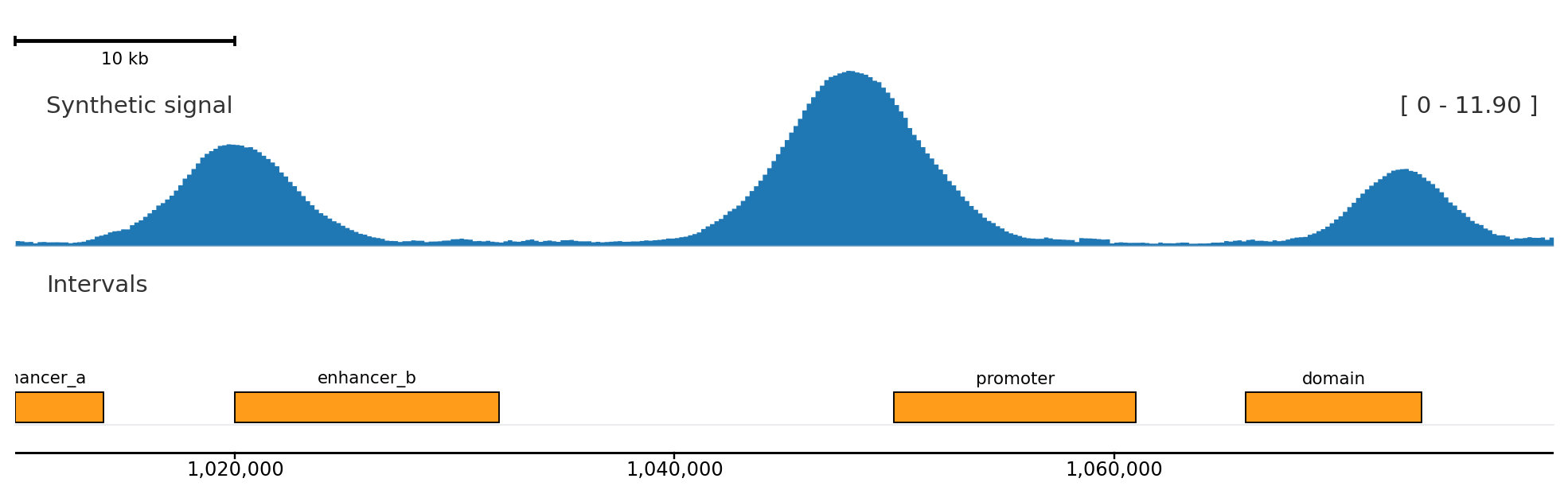
from plotnado import GenomicFigurefrom plotnado.examples import REGION, signal, intervals# signal() returns a synthetic DataFrame(chrom, start, end, value) — in real use pass a BigWig path/URL or any DataFrame with those columns# intervals() returns a synthetic DataFrame(chrom, start, end, name) — in real use pass a BED/BigBed path, URL, or DataFramefig = GenomicFigure(width=11, track_height=1.25)fig.scalebar()fig.bigwig(signal(scale=1.15), title="Synthetic signal", style="fill", color="#1f77b4")fig.bed(intervals(), title="Intervals", display="expanded", show_labels=True)fig.axis()fig.plot(REGION)
Scale, axis, signal, and BED-like intervals from deterministic DataFrames.
from plotnado import GenomicFigurefrom plotnado.examples import REGION, signal, intervals# signal() → DataFrame(chrom, start, end, value); intervals() → DataFrame(chrom, start, end, name)# replace with BigWig paths/URLs or real DataFramesfig = GenomicFigure(width=11, track_height=1.25)fig.scalebar()fig.bigwig(signal(scale=1.15), title="Synthetic signal", style="fill", color="#1f77b4")fig.bed(intervals(), title="Intervals", display="expanded", show_labels=True)fig.axis()fig.save("quickstart.png", region=REGION)
Generate and render a template
Use the CLI when you want a human-editable YAML file between data discovery and rendering.
uv run plotnado init sample1.bw sample2.bw peaks.narrowpeak --auto--output template.yamluv run plotnado validate template.yamluv run plotnado plot template.yaml --region chr1:1,000,000-1,100,000 --output quickstart-cli.png
The generated YAML is intentionally small:
genome: hg38guides:genes:truetracks:-path: sample1.bwtype: bigwigtitle: sample1-path: peaks.narrowpeaktype: narrowpeaktitle: peaks
Load a template back into Python when you want to add programmatic logic:
from plotnado import GenomicFigurefig = GenomicFigure.from_template("template.yaml")fig.save("quickstart-from-template.png", region="chr1:1,000,000-1,100,000")
Next
Track Construction: helper methods, aliases, and explicit track objects.